Forums > Windsurfing   Gps and Speed talk

Finally cracked 30 knots!

Reply
Created by shear tip > 9 months ago, 22 Nov 2008
shear tip
NSW, 1125 posts
22 Nov 2008 5:46PM
Thumbs Up

And the gt-11 didn't write any data to the sd card!
ARRRGH!!!
Anyway, absolutely stoked to finally crack the 30, even though it won't go down as an official PB.

elmo
WA, 8869 posts
22 Nov 2008 3:54PM
Thumbs Up

Download direct from unit using Navilink or save file to card

Congrats on the 30 crack

Crash Landing
NSW, 1173 posts
22 Nov 2008 6:30PM
Thumbs Up

Good work Sheartip - where did you do it and on what kit?

shear tip
NSW, 1125 posts
22 Nov 2008 6:42PM
Thumbs Up

Thanks Elmo, but that's the first thing that I tried. Navilink found a file and downloaded it, and I was so relieved, but when I ran the file through Realspeed, I found out it was an old session from 2007. Bummer.

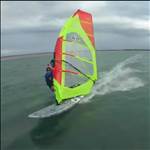
Hi Crash, I was down at Kurnell today in the westerly. I headed off the beach then cranked upwind about one kilometre to Towra Point reserve. There's a shallow inlet to Quibray Bay where the chop was smaller. I guess the water was about a metre deep at the point where I did 31 knots, with 6-12 inch chop. It was a scary ride, and I had a lot of weight hanging from my arms, ready to push the eject button!

I was on my Loft O2 5.9, Bic Techno 98l, 30cm Select Viper fin. It's freeride gear, not a speed nut's ideal setup. I had to bail early as the wind picked up well into the 30's which was just far too much for my 5.9.

Crash Landing
NSW, 1173 posts
22 Nov 2008 7:25PM
Thumbs Up

There was a lot of wind today!

I found that it extremely difficult to get over 30 knots with my RRD FSW (but with a race sail) and then borrowed an Isonic from Sam at Windsurfnsnow. Went out in very choppy conditions and hit 36 knots - see if you can try someone's slalom board!

31.39 on a techno is awesome!

decrepit
WA, 12773 posts
22 Nov 2008 6:50PM
Thumbs Up

shear tip said...

Thanks Elmo, but that's the first thing that I tried. Navilink found a file and downloaded it, and I was so relieved, but when I ran the file through Realspeed, I found out it was an old session from 2007. Bummer.


In that case you're using old firmware.
The latest firmware, dumps the old files when memory fills up, that way you've always got the last few sessions in the unit. It also stores more hours sailing than the old firmware.
So my advice is to download and install the latest version.

You'll also get speed genie as a bonus, ( I hope, some people don't like it that much)

Mobydisc
NSW, 9029 posts
22 Nov 2008 10:17PM
Thumbs Up

Where do you find the new firmware?

I have 1.61(B0608T) on my GT-11. I downloaded it from here:
www.locosystech.com/en/page/support-download-datasheets.html

Is there another page on the Locosystech site or on another site that gives updated firmware?

I've seen Speed Genie on a GT-31 and it looks pretty good.

hardie
WA, 4129 posts
22 Nov 2008 9:03PM
Thumbs Up

Woohoo Well done!!!!!!!!

firiebob
WA, 3175 posts
22 Nov 2008 11:49PM
Thumbs Up

Well done Mike with your 31+ awesome

I have the 5.9 O2 also, it's a great sail

FISHGUTS
22 posts
23 Nov 2008 6:47AM
Thumbs Up

WELL DONE !!! alot of people think its easy but you have to work at it good on ya !! :)

pepe47
WA, 1382 posts
23 Nov 2008 3:12PM
Thumbs Up

Great effort.

Mobydisc
NSW, 9029 posts
23 Nov 2008 6:00PM
Thumbs Up

Great effort on hitting 30 knots plus. My best recorded time is 26.6 which I did yesterday. Pretty wild weather and never really comfortable so it was good to get a PB. If I can hit 30 knots this summer I'll be stoked. More importantly I hope we get some good winds this summer and have plenty of good sessions.

Thanks for helping with the firmware update. It worked so my GPS now has Speed Genie and the menus look similar to the GT-31 menus.

MintoxGT
WA, 975 posts
23 Nov 2008 6:16PM
Thumbs Up

Well done mate, I am hanging to crack 30kts, cant wait.... Again power to ya brutha!

Harrow
NSW, 4521 posts
24 Nov 2008 9:11AM
Thumbs Up

Nice looking lawn!

pepe47
WA, 1382 posts
24 Nov 2008 9:35AM
Thumbs Up

incidentally, if you slip a small rubber "O" ring over the toggle switch it will keep it from changing settings while the gps is in your aquapac.

shear tip
NSW, 1125 posts
24 Nov 2008 12:29PM
Thumbs Up

Harrow said...

Nice looking lawn!


Ah Harrow, you should get a job on 60 Minutes - cutting straight to the core of the issue

Speed Genie
I tested the new firmware this morning on the way to work to see how speed genie works. All was well with it cycling between top speed and 10sec average, but then it seemed to reset to a lower speed. Does speed genie only show the top speed per run? Is there a way to get it to include the top speed for the day?

Harrow
NSW, 4521 posts
24 Nov 2008 12:53PM
Thumbs Up

shear tip said...
Speed Genie
I tested the new firmware this morning on the way to work to see how speed genie works. All was well with it cycling between top speed and 10sec average, but then it seemed to reset to a lower speed. Does speed genie only show the top speed per run? Is there a way to get it to include the top speed for the day?


Ok, speed genie works like this..(on GT-31 anyway).

When the speed exceeds the SPEED GENIE setting, the display changes to SPEED, continuously showing your present speed. When you speed then drops below the SPEED GENIE setting, the display changes to an auto-rotating display that shows 4 different displays at 2 second intervals:

1. Your MAX SPEED on the last run.
2. Your 10 SEC MAX AVG speed on the last run.
3. Combined display of MAX SPEED and 10 SEC MAX AVG speed on the last run.
4. Combined display of best MAX SPEED and best 10 SEC MAX AVG speed for the day (HISTORY MAX).

You can choose which of the above displays are shown (see the MISC menu), and obviously there is redundancy as screen 3 is the same as screens 1 & 2. Therefore, it makes sense to turn off either "3" or "1 & 2".

When you exceed the SPEED GENIE setting speed, then it does it all over again.

However, there are some confusing options within the speed genie. When you are stationary, you can select (using the joystick) various displays. When you are in MAX SPEED or 10S MAX AVG (not in the auto-scrolling mode) pushing the joystick in will give 4 options:

1. RESET - resets the present display speed to "0.00", but does not delete the speed genie history.
2. SAVE - Saves something? (have not played with this)
3. RESTORE - brings up a list of the top 10 values of that item for the day. You can choose one, and this will then show on the display for your photo.
4. CLEAR - clears the whole speed genie history data for that item to "0.00".

Ok, now you're thoroughly confused, you can play around and figure it out yourself while I pack the car, 'cause there's a 20 knot southerly on the bay, and I'm off work today.

shear tip
NSW, 1125 posts
24 Nov 2008 1:06PM
Thumbs Up

Harrow said...
1. Your MAX SPEED on the last run.
2. Your 10 SEC MAX AVG speed on the last run.
3. Combined display of MAX SPEED and 10 SEC MAX AVG speed on the last run.
4. Combined display of best MAX SPEED and best 10 SEC MAX AVG speed for the day (HISTORY MAX).


Ah, cool. #4 is what I'm after. I'll have a dig around the Misc settings tonight.

Have a great day!! Or if you're already out the door, I hope you had a great day!!

Haggar
QLD, 1670 posts
24 Nov 2008 12:22PM
Thumbs Up

pepe47 said...

incidentally, if you slip a small rubber "O" ring over the toggle switch it will keep it from changing settings while the gps is in your aquapac.


Pepe, did you attach this with silastic or use double sided tape or something

pepe47
WA, 1382 posts
24 Nov 2008 1:59PM
Thumbs Up

Haggar said...

pepe47 said...

incidentally, if you slip a small rubber "O" ring over the toggle switch it will keep it from changing settings while the gps is in your aquapac.


Pepe, did you attach this with silastic or use double sided tape or something


No the "O" ring should fit snug over the toggle switch.

Mobydisc
NSW, 9029 posts
24 Nov 2008 5:00PM
Thumbs Up

I think I read here someone suggesting Lego rubber tyres snugly fits around the GT-11/31 toggle stick. I'm heading back to my parent place for Christmas so might see if there is some Lego from the old days that I can use.

pepe47
WA, 1382 posts
24 Nov 2008 3:12PM
Thumbs Up

Parents are cool like that, they never throw stuff out cos they know you'll be back one day looking for that very item..

decrepit
WA, 12773 posts
24 Nov 2008 8:04PM
Thumbs Up

I'm using the rubber seal from a roofing screw, fits great.

pedro e
VIC, 257 posts
24 Nov 2008 10:42PM
Thumbs Up

I made a couple of my own using a rubber and a sharp knife - sliced the rubber to the desired thickness then cut them into little doughnut shapes - worked a treat in the aquapac.

shear tip
NSW, 1125 posts
24 Nov 2008 10:57PM
Thumbs Up

shear tip said...

Harrow said...
1. Your MAX SPEED on the last run.
2. Your 10 SEC MAX AVG speed on the last run.
3. Combined display of MAX SPEED and 10 SEC MAX AVG speed on the last run.
4. Combined display of best MAX SPEED and best 10 SEC MAX AVG speed for the day (HISTORY MAX).


Ah, cool. #4 is what I'm after. I'll have a dig around the Misc settings tonight.


It seems that #4 is not an option on a GT-11. When I go to the Misc settings, I get:
1. Calendar
2. Reserved
3. Reserved

timford
NSW, 510 posts
24 Nov 2008 11:00PM
Thumbs Up

Help. I have a new data file (this evening) on the GT 31 and the SD card but have no idea how to see it or how to put it into the challenge web site. I am sure there is a forum tread that can tell me. Anyone anyone?

Mobydisc
NSW, 9029 posts
24 Nov 2008 11:12PM
Thumbs Up

timford said...

Help. I have a new data file (this evening) on the GT 31 and the SD card but have no idea how to see it or how to put it into the challenge web site. I am sure there is a forum tread that can tell me. Anyone anyone?



Your card should have a file on it.
Do you have Realspeed on your computer? If so you need to import the file into Realspeed and it will work it out for you. The GPS Challenge website has guides to show you what to do plus configuration files for Realspeed for the GPS Challenge divisions.

If needed send your file to me and I'll put it through Realspeed and send the results back to you along with your tracks on Google Earth. PM me and I'll give you my email address to send the file to.


Harrow
NSW, 4521 posts
24 Nov 2008 11:28PM
Thumbs Up

shear tip said...

shear tip said...

Harrow said...
1. Your MAX SPEED on the last run.
2. Your 10 SEC MAX AVG speed on the last run.
3. Combined display of MAX SPEED and 10 SEC MAX AVG speed on the last run.
4. Combined display of best MAX SPEED and best 10 SEC MAX AVG speed for the day (HISTORY MAX).


Ah, cool. #4 is what I'm after. I'll have a dig around the Misc settings tonight.


It seems that #4 is not an option on a GT-11. When I go to the Misc settings, I get:
1. Calendar
2. Reserved
3. Reserved

Sheer tip, I had a feeling that screen #3 was the latest addition, and that #4 was pre-existing. I borrowed a GT-11 the other week for a test drive and I am pretty sure it was showing #4. It was only with the recent addition of #3 that the on/off options for the auto-rolling display were added to MISC menu.

timford
NSW, 510 posts
24 Nov 2008 11:29PM
Thumbs Up

decrepit said...

I'm using the rubber seal from a roofing screw, fits great.


Thanks for that one, have a couple of them in the ute.

decrepit
WA, 12773 posts
24 Nov 2008 9:48PM
Thumbs Up

Harrow said...

Sheer tip, I had a feeling that screen #3 was the latest addition, and that #4 was pre-existing. I borrowed a GT-11 the other week for a test drive and I am pretty sure it was showing #4. It was only with the recent addition of #3 that the on/off options for the auto-rolling display were added to MISC menu.


Sorry guys, the GT 11 doesn't have anything in misc but the calender. (I have the latest firmware for it)
Unfortunately the GT 11 has no option to see trip max speed in speed genie, you just have to check every run, and try to remember your best. (not an option for me my head's like a sieve these days)

nebbian
WA, 6277 posts
24 Nov 2008 10:28PM
Thumbs Up

decrepit said...


Unfortunately the GT 11 has no option to see trip max speed in speed genie, you just have to check every run, and try to remember your best. (not an option for me my head's like a sieve these days)


I turn the Genie off and do the following:

1) Wear GPS on rearward arm when going down the run
2) Go down the run
3) When going back upwind, check your number (it's on your front arm now) Then do the following:
Press, down, press, press. This saves your number. Then: Press press
And bingo you've saved your speed, and reset your GPS for the next run. No need to stop, so you can do a smoking alpha at the top of the course

I could never get the genie to stay on the one screen for long enough to read the numbers as I'm bouncing along going back upwind after a run... You can also then look at all your runs after the session, the software ranks them in order from fastest to slowest. I find this solution works very well for me


Subscribe
Reply

Forums > Windsurfing   Gps and Speed talk


"Finally cracked 30 knots!" started by shear tip