are there any gurus that can answer a little question for me?
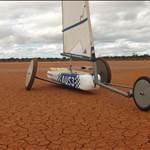
when i record speed runs on my Gamin 72 the downloaded data shows a average speed between track points. the points are dtermined by course changes. unfortunately My landyacht sails very straight at speedso instead of the required 5 second readings, i get averages of up to 60 seconds. The best run last weekend was 68 seconds averaging 124.1kph. the yacht I was following was able to produce data of 147kph as his gps software can break down the raw data.
The data format options in the Garmin is set to GARMIN. alternatives are GARMIN DGPS,NMEA,text out,RTCM in,RTCM in/NMEA.
THe manual doesnt give enough info as to what they all mean, so help a dummy please as imegoing faster every sail but cant prove it
Paul , Lake Lefroy
Set it up for NMEA, 2 second. That should sort you out.
Some programs to try are RealSpeed, GPSActionReplay, and GPSResults.
hth
Edit: Also, when you make a change to it, put it on the dashboard and go for a drive. Then download it when you get home to make sure it all works OK. Nothing worse than having a killer session and then having no data when you get home 
Ta , Did it .It now shows format as NMEA and another screen that says BAUD 4800. Please educate further.
Baud 4800 is a serial protocol, it refers to how quick the serial link is going. Make this as high as you possibly can, you can probably put it up to 9600 or even 19200. Your computer will have no trouble reading this.
It's probably spitting out data at 4800 bps (4.8 k) via its serial port constantly as well, so you could connect it to your computer and have a real-time display of where you are. I've seen this done when tracking locomotives.
Make sure that it's recording to your internal memory before you go sailing!
Go for a walk around the yard, then try to download the file and see what it looks like.
Opened the door and it started raining! not good 
It will have to wait till tommorow . My choices tonight are go for a drive or a warm bed. must be late at your end too
new screen just popped up. it says enabled sentences. choices are GPS status, Wpt/route, or GARMIN prorietry. the one that is ticked is GARMIN proprietry. do I leave it?
G'Day Paul,
My your are getting fast, I'm still stuck just over 60kph.
Remember that carbon boom you swapped with me?
www.seabreeze.com.au/gallery/gallery.asp?imageid=6093
That was the result of a 60kph stack.
I don't have any garmin experience, but seems like nebbian is correct. You need to get it recording every 2sec instead of every change of direction.
Might not suit what you guys are doing, but if you download realspeed, be interesting to see how you go with the "alpha" format.
Nice little sacrifice to the gods of speed. looks rather cold too. I will look into this alpha thing next . goodnight all
www.garmin.com/manuals/GPS72_OwnersManual.pdf
From what I can see, you may have to go to the track page options, setup track log, and then:
* Change "Record" to "Wrap When Full".
* Change "Record Method" to "Time"
* Change "Interval" to "2 seconds".
I'm not sure any more about the NMEA, from what I can tell this refers to the format that the unit spits out as it's running, rather than the format of the file that it sends to your computer.
Like anything you'll have to do a bit of research before you get it working properly. And TEST, TEST then TEST some more before you put it in your yacht!
Good luck 
Thanks for asking that Paul,
I too am wanting to get info out of the damn thing. Mine is a foretrex and like yours came with nothing to explain the system.
Mr Nebbian, I'm guessing that since the GPS or data cable didn't come with any program then I need to download some software to view the tracks?
I tried using the text out, but couldn't find anything!
Any help most appreciated.
Thanx Phil
quote:
Originally posted by sailpilot
Mr Nebbian, I'm guessing that since the GPS or data cable didn't come with any program then I need to download some software to view the tracks?
NMEA didnt do anything, you were right. I will now try the track alterations you suggested. Sail pilot ,the software for a Garmin gps 72 is Trip and waypiont manager, and youll need a cable, and youll need a computer with a serial port.
Nebbian ,thanks for being a geek you loves to sail
Hi Paul. It is possible that this GPS saves tracks with full precision like the Garmin Etrex Legend C and the Garmin Edge. If this is the case you will be better of using 1 second intervals. However, until you establish the saved trackpoint precision it is better to leave it on 2 sec interval.
When you manage to get a track saved I will be happy to examine it to try to determine if it has the full precision saved. PM me if you would like me to have a look.
Got it all working on 2sec readings. we will probably have to set it at 10 sec or the old system and then reset for 2 sec if conditions are favourable for a really big top end speed. one thing that came out of the tests is that the stored Garmin road map is way off.
Yeeha, finally got some data thats examinable, thanx nebs. I've found a program called EasyGPS on download.com that sucks out the info, then I've put that file into Realspeed to see whats what. Actually the dumbest thing I did was not check the data cable was fully plugged into the GPS, so now its all good.
Just need some more wind now.
Cheers
Ive just realized that with all the cash I spent on cables and software I could have bought a new ETREX that come with all the fruit. . I'll do that when we get back from the World Champs in February.
MORE wind
MORE wind
As you found out Garmin's stock set-up is on Auto where, to save memory, it only logs a trackpoints when you change direction. So you did the right thing to change the recording to 2 sec.
Don't worry about the 10sec recording... the post analysising software can find your best 10sec out of the 2sec data.
Set at "garmin" (forget NMEA, that is for real time logging) and use G7toWin www.gpsinformation.org/ronh/g7towin.zip
to download data from the 72 to the PC/laptop and save it as a gpx file. Once it is in that form you can use GPSActionreplay (free) or Realspeed or GPSResults to analysis the data.
It's probably a bit late now but Decrepit is right.
The Navi/GT11 is a cheaper unit which is way more sophisticated. It can show in realtime your best top speed and reset itself automatically when you accelerate again, stores months of data at more accurate levels and can charge itself from your laptop or in the car. Tho' it isn't a mapping gps.