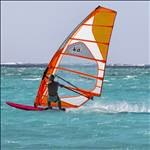
I think I saw someone bought this up but I can't find the thread.
Some people seem to be able to copy and paste their tracks in. It doesn't work for me. Any tips?
First upload your photo/picture to seabreeze, and then obtain the URL.
When you edit the GPSTC post, click the HTML button, and add the following line (Nb/ in example below, replace the curly brackets with ">" brackets).
{p}
{img src="h ttp://...."}
Then click "Update". This will insert the image into the post.
Select to expand quoteImax1 said..
I would need the English version to understand what you just said.
Unfortunately, this site parses HTML, and I don't have enough IT ninja skills to remember how to post literal script to make it easier to explain.
If you're still stumped SC, I'll post a screen shot.
I used to click on the symbol on the posting window to insert an image. But now it's all changed and does not seem to work.
I tried the insert media symbol > a window pops up > I select my JPEG file > click 'upload' and then..... nothing happens. The INSERT box is in another window. I click on that but all I get inserted is a Yellow square where the picture should be.
What am I doing wrong?
Select to expand quotesboardcrazy said..
I think I saw someone bought this up but I can't find the thread.
Some people seem to be able to copy and paste their tracks in. It doesn't work for me. Any tips?
In what way doesn't it work Sue?
I don't have a problem
I save my image on the computer ready to upload like I used to by the upload button before they had to stop using that. I click on my image on the computer , copy it , go to the GOPSTC post and click paste but nothing happens.
I usually use Chrome. I just tried Microsoft Edge but it didn't work either.
That's weird, Sailquick is having the same problem. He emailed the pic to me, I just copied and pasted it straight into his session.
www.gpsteamchallenge.com.au/sailor_session/show?date=2022-10-23&team=16
I see you've already posted in this thread, so why do you think I'm Peter?
I'm using firefox in linux mint.
I've no idea if that has something to do with it. A jpg is a jpg no matter what OS you're using.
I see you've already posted in this thread, so why do you think I'm Peter?
I didn't?
Select to expand quotejn1 said..
First upload your photo/picture to seabreeze, and then obtain the URL.
When you edit the GPSTC post, click the HTML button, and add the following line (Nb/ in example below, replace the curly brackets with ">" brackets).
{p}
{img src="h ttp://...."}
Then click "Update". This will insert the image into the post.
I had a go but I don't really know what I'm doing.
Where have I gone wrong? It works here but not on the GPSTC...
< img src="  >
>
Ok. The Html worked on Seabreeze and I copied this image and managed to post it in the GPSTC but I don't want to have to post to Seabreeze every time to get an image..
Normal copy from my computer and paste straight in doesn't work.
I just tried the Chrome Browser on my Mac (which I rarely use) and this time the copy and Paste worked.
It was very slow to load, but it worked. Might be a browser issue?
Select to expand quotesailquik said..
I just tried the Chrome Browser on my Mac (which I rarely use) and this time the copy and Paste worked.
It was very slow to load, but it worked. Might be a browser issue?
I'm using Chrome..maybe I should try Firefox..
Select to expand quotesboardcrazy said..
I see you've already posted in this thread, so why do you think I'm Peter?
I'm referring to the GPSTC pitcrew thread link I posted above my comment, with Andrew's image I posted for him.
You say.
"How did you copy and paste Peter? I"
When alongside the image is "Decrepit"
Select to expand quotedecrepit said..sboardcrazy said..
I see you've already posted in this thread, so why do you think I'm Peter?
I'm referring to the GPSTC pitcrew thread link I posted above my comment, with Andrew's image I posted for him.
You say.
"How did you copy and paste Peter? I"
When alongside the image is "Decrepit"
Ah! Sorry . Old timers problem. I read Peters post and jumped to your image one without realising it wasn't from Peter.
hi all, also try out other browsers firefox or even edge for second editing choice, I think chrome is getting security concious(?)- e.g., I had to reboot my win10PC to get into a banking app the other day with chrome, try that too cheers and gdluck
this was my try today at GPSTCtrying a copy and paste and or drag and drop any old lil image in:
chrome- nope
edge - nope
avast secure browser - nope
firefox - yep
interesting little task
I'm using Chrome on a PC and clicked on a smiley image on some website, copied and pasted into a GPSTC Mandurah Mob session. It worked (well the smiley shows up for me anyway).
For Mac users still struggling, I inserted the .JPEG into a blank Pages document then copy & pasted into GPSTC (using Google Chrome). Many thanks to everyone's efforts here.
I haven't been able to post images to GPSTC for some time. Tried the secure site. Tried Firefox.
I want to update my profile pic. I have removed the old one now and tried to replace it but now just an icon shows up

This is the picture I want.
I have now uploaded it to seabreeze so I will try again with the URL.
No luck. Help please.
All you have to do is find the file location then copy and paste it directly in.
The issue which you will have is the file size, if it doesn't work because the file (or image) is to big then I have found that it will kill all other info in your post.
How I got around this was to open/edit the image in Paint and resize to 50% (or more) make sure you have keep aspect ratio ticked then save it under a different file name.
Then try to copy/paste this new file post it again, if it still doesn't work reduce the image some more.
Trust this helps
Select to expand quoteelmo said..
All you have to do is find the file location then copy and paste it directly in.
The issue which you will have is the file size, if it doesn't work because the file (or image) is to big then I have found that it will kill all other info in your post.
How I got around this was to open/edit the image in Paint and resize to 50% (or more) make sure you have keep aspect ratio ticked then save it under a different file name.
Then try to copy/paste this new file post it again, if it still doesn't work reduce the image some more.
Trust this helps
Hi Elmo. I have resized the pictures for web pages.
I have tried to select the file for my avatar but still no luck. Just a pathetic icon shows up.
I tried copying and pasting into a post and that didn't work either.
Don't know about using it as an avatar, possibly justr keep reducing the size of the file
My one is a GIF file @6kb I suppose a copy of JPEG may work but couldn't say for certian as I don't want to somehow stuff up my avatar
I haven't done it for years Anita, but from memory which is suss, try resizing to 100x100kb ?
My profile pic has disappeared all by itself, I'll have a go at reloading it, but I have a feeling it's a site problem
So I tried to upload an old avatar that used to work, (it's 73X80 pixels) but nothing. So it's not you Anita it's the site.
Select to expand quotefiriebob said..
I haven't done it for years Anita, but from memory which is suss, try resizing to 100x100kb ?
think it's 100x100 pixels Bob, and around 3kb
Select to expand quotedecrepit said..firiebob said..
I haven't done it for years Anita, but from memory which is suss, try resizing to 100x100kb ?
think it's 100x100 pixels Bob, and around 3kb Ha yep
Select to expand quotedecrepit said..
So I tried to upload an old avatar that used to work, (it's 73X80 pixels) but nothing. So it's not you Anita it's the site.
Why has this changed?
At long last I have a good pic of myself speedsailing and now I have no avatar