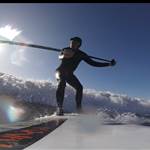
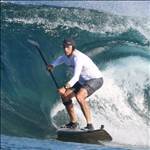
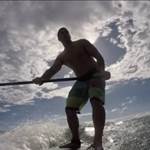
Well it's now time to join the 21st century and give away my SLR cameras and start using my GoPro on the Sup!! I am thinking of mounting it on the front of my Mana GTW but am not sure how secure the stick on mount will be OR if it does stick and I decide to move it later will it damage the wood finish?
I also got a clamp so I can use it on my bike and secure it to the paddle but how do you know if you are getting the right angle and you are in shot?
Exact same query from me...
Also scored a Hero 4 Silver for Xmas, along with Surfboard Mounts, Handlebar/Seatpost mount for putting on paddle, and of course a Floaty Backdoor, but not sure on placement of the mounts on the nose of the 10' Mana - was thinking maybe 1-1.5ft from the nose...
Ho ho ho for us!
Maybe just in front of the vent hole would be good or at the rear of the board for that long look down the board?
Select to expand quoteDaveSandan said...
Ho ho ho for us!
Maybe just in front of the vent hole would be good or at the rear of the board for that long look down the board?
Not sure if just in front of the vent hole might be too close to get head-to-toe in frame? I might do some test shots at different places on the front of board before I stick a mount down. Will let you know how it goes if you haven't already done yours by then 
Not sure if I'll do the mount near the tail - I have a tendency to fall backwards off the board on a wave, and I don't wanna end up with a GoPro lodged where the sun don't shine
I think the paddle mount will just be a trial & error matter...looking forward to mucking around with it all a bit. Boxing Day gadget set-up - ManCave here I come
I don't have a Mana, but on my other boards I have mounted the camera on the nose looking back. I just look for the flattest spot up close to the nose. The GoPro cameras are very forgiving; an awful lot is captured by the fish-eye lens so you don't have to be too fussy about aiming it. I personally turn it on and leave it on recording and then edit the long video later. Turning it on and off gets annoying. I tried the wireless gizmo but found that it kept losing the link.
I have only tried mounting the camera on the paddle a few times. DJ has a lot of success, but if you use your paddle a lot when surfing then the video can get weird to look at, and you can miss the fun bits - but if done well, can capture a terrific view. Again, because of the fish-eye lens you don't have to be too fussy about how it is mounted, but when you are riding the wave you need to think about what the camera is generally pointing at, and what paddle movements will look like.
I suggest you go out and give it a go.
I personally like the mouth-mount - look at www.prostandard.com You may look a bit silly using it, but I think it does the best job of capturing the surf experience, short of using a soloshot and filming yourself from the beach.


Just built a prototype helmet mount for my xd prime x camera. Haven't been brave enough to try it out in big surf yet.......but will give it a go on Jan 1.....the first surf of the new year blah blah blah
did try it out mounted closer to helmet but showed the side of my face.....was a bit "cheeky" 
I got the same gopro for my trip to Costa Rica and used it to surf down there. I rented a board and put it on towards the nose and it was perfect. I set it up on video and picture and with pics every 30 sec. Caught some cool stuff and then turned it into a video. It stuck no problem and other than a few good waves and wipe outs the camera did not tilt. When it did tilt I just pushed it back and keep going. Do however use the wrench to make sure you have the screw tight because finger tight did not work for me. Also when you slide the clip in make sure you are sliding the clip towards you that way a wave wont force it out, the pressure will just force it to you. And finally make sure you have the second little round piece down to and the strap tied to it. When or if it does come out of the clip this keeps it from falling off the board. Also here is my video so you can see the angles that it captured. And it was at 720 not 1080.
Select to expand quotepellynch14 said...
I got the same gopro for my trip to Costa Rica and used it to surf down there. I rented a board and put it on towards the nose and it was perfect. I set it up on video and picture and with pics every 30 sec. Caught some cool stuff and then turned it into a video. It stuck no problem and other than a few good waves and wipe outs the camera did not tilt. When it did tilt I just pushed it back and keep going. Do however use the wrench to make sure you have the screw tight because finger tight did not work for me. Also when you slide the clip in make sure you are sliding the clip towards you that way a wave wont force it out, the pressure will just force it to you. And finally make sure you have the second little round piece down to and the strap tied to it. When or if it does come out of the clip this keeps it from falling off the board. Also here is my video so you can see the angles that it captured. And it was at 720 not 1080.
Hope this helps. Have fun.
Great vid.. What did you use for editing?
Select to expand quoteDavidJohn said..
Great vid.. What did you use for editing?
Thank you it was my first time both with the gopro and making the video. I used the gopro studio.
Well I finally got to mount the GoPro to the Mana and tested the camera angles out today, I mounted it at the rear of the board next to the leg rope anchor. Went for a 45 min paddle on the bay having turned on the camera via wif went past lots of nice boats, a pod of dolphins under a jetty past a pretty girl, GREAT I thought.
Went back to my stuff to preview the video, and signal lost was on the screen!!!!! Had my phone on me in a bag still working but the signal dropped out for some reason and I got NOTHING!!! Bugger!
3 more attempts to activate manually, nothing, got the wifi working again and got a frustrated 4min vid to see what I can improve on tomorrow, I will read the user guide again but I tested it at home first days ago and it worked every time??
I will need to raise the camera view upward, too much focus on my butt action without my head in shot, good for my partner to look at, she liked it but not for the general public, lol.
I've mounted the Surfboard mounts to mine but not used as yet - sitting about 18" from the nose

Did use a paddle mount - no action shots yet, but couple of test shots. Pretty happy with it so far!


Select to expand quote808-Obsession said..
I've mounted the Surfboard mounts to mine but not used as yet - sitting about 18" from the nose
Did use a paddle mount - no action shots yet, but couple of test shots. Pretty happy with it so far!
Nice use of the paddle mount is it on the blade or the shaft, I found my clamp only just able to be tightened so I went to the removable shah ton my paddle. Problem is then it's shooting sideways so I would need to hold the paddle vertical to get a straight shot, perhaps I could get a mount to stick to the paddle?

I am starting to get some use out of the GoPro but it has been loosing a lot of the videos I have done, I think it's a SD card problem and hopefully I will b about to find all of them once I download it fully onto the software from GoPro.
Problem is I select a video to post here and it compresses but when I push save it says there is nothing selected and it deletes what I just downloaded??? Any advise would be great?
A few thoughts:
1. I think it is better on the nose of the board rather than the tail.
2. I think it is better to record the vid to the memory card rather than relying on wi-fi.
3. Buy a high-speed memory card.
4. You should create a Vimeo account and upload the video to Vimeo. (When you publish the vid from the video software (e.g. the GoPro studio) there should be an option for Vimeo (the correct resolution etc.) That vid will then have a url on the Vimeo site. You just enter that url in the post (after your normal text). When you click "Post my Reply" the video will appear in the post. I don't believe you can upload a vid in the same way that you can upload an image.
Hope that helps.
Select to expand quotecantSUPenough said..
A few thoughts:
1. I think it is better on the nose of the board rather than the tail.
2. I think it is better to record the vid to the memory card rather than relying on wi-fi.
3. Buy a high-speed memory card.
4. You should create a Vimeo account and upload the video to Vimeo. (When you publish the vid from the video software (e.g. the GoPro studio) there should be an option for Vimeo (the correct resolution etc.) That vid will then have a url on the Vimeo site. You just enter that url in the post (after your normal text). When you click "Post my Reply" the video will appear in the post. I don't believe you can upload a vid in the same way that you can upload an image.
Hope that helps.
Thanks for the tips.
managed to get these shots off the video cos the computer with the software is at home and I am away on holiday.


GoPro what a load of rubbish!!! Every 20-30 seconds and it stops recording all by itself, fully charges formatted card, no wifi devises it just cuts out every single time. But then all of a sudden it works for a few goes then does it all over again, got online and there are forums full of the same complaint and yes Ai have the latest software, what a heap of expensive junk!!!!
See that little round sticky thing on the side , thats what you attach the small white of cord to incase your camera pulls out of the
clip .

Select to expand quotePiros said...
See that little round sticky thing on the side , thats what you attach the small white of cord to incase your camera pulls out of the
clip .
Roger that, Piros - this was just a pic from the garage floor. Deffo use the tether! Not about to lose a few hundy worth of Cam if I can help it! Apart from anything else, my better half would throttle me...
Select to expand quoteDaveSandan said..
GoPro what a load of rubbish!!! Every 20-30 seconds and it stops recording all by itself, fully charges formatted card, no wifi devises it just cuts out every single time. But then all of a sudden it works for a few goes then does it all over again, got online and there are forums full of the same complaint and yes Ai have the latest software, what a heap of expensive junk!!!!
I have had three GoPros and never had that problem - what a bummer. I wonder if you can have it replaced under warranty. Are you recording at 4k resolution? I have read that can overload the unit. Do you have a fancy high speed memory card? You will need the fastest type available.
Hope you get it working!
Select to expand quotecantSUPenough said..DaveSandan said..
GoPro what a load of rubbish!!! Every 20-30 seconds and it stops recording all by itself, fully charges formatted card, no wifi devises it just cuts out every single time. But then all of a sudden it works for a few goes then does it all over again, got online and there are forums full of the same complaint and yes Ai have the latest software, what a heap of expensive junk!!!!
I have had three GoPros and never had that problem - what a bummer. I wonder if you can have it replaced under warranty. Are you recording at 4k resolution? I have read that can overload the unit. Do you have a fancy high speed memory card? You will need the fastest type available.
Hope you get it working!
I am going to try to get it replaced, the resolution is 1080 but I have tried all of them changed every setting possible and the card is according to spec. It has worked and I have some good footage but then stops again for a whole day?
Problem solved thankfully, got anther SD card from Harvey Norman for $100 this time and was told that the spec for a GoPro was or rest for the first one but there are still differences in quality. Don't buy one from Dick Smith they print the spec on the packaging but it ain't the same cos now it works every time, YAH!!!