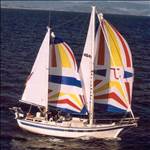
And I was able to do this way too easily, thanks very much Raymarine! Ok so we're up on the east coast of Tas enjoying a 10 day break. Anchored off Orford and sitting out a blustery southerly change. I went ashore to the cafe and I was thinking it would be nice to be able to monitor the boat position on my iPhone while ashore. So when I came back onboard I fired up the chart plotter (a-series) to see if there was a way to do this, i.e. linked to WiFi and running Raycontrol software on my iPhone maybe? Anyway I pressed the on button on the plotter and the screen brightness was turned down really low, I couldn't really see anything properly in the bright light. Normally a shortcut for adjusting brightness is to hit the power button once then again to increase brightness, each subsequent press increases by 10 or so percent. But what happened instead, because the system was still booting up, was to initiate a "power on reset" function, the second press of the button (that I thought would increase brightness) instead chose option 1 - factory reset and started a countdown phase of 7 seconds. I couldn't read any of this properly and so I didn't realize what was taking place. All I could see was that it had entered some kind of boot up menu and I just left it to start up normally. It did, but it had blown away all my settings and restored back two versions of the software, mid 2016.
Two questions come to mind:
1. Is there any way to do a "restore to last known good configuration" type of recovery?
2. If not, will my auto pilot, ais and radar all need setting up from scratch again?
The reset procedure will return the chartplotter back to the same state as it came out of the box.
If you have a backup routes waypoints etc to a a CT memory card etc storage device.... the info can be restored, otherwise it has gone!
No I didn't have a backup of routes, waypoints etc unfortunately. Wondering more about the configuration settings for autopilot etc and if I'll need to re-commission the whole system?
Select to expand quote2bish said..
No I didn't have a backup of routes, waypoints etc unfortunately. Wondering more about the configuration settings for autopilot etc and if I'll need to re-commission the whole system?
An argument there against integrating everything. One goes down, the lot go down.
Yes thanks, those guys are usually great. I tried them yesterday but their opening hours are Mon to Fri only, I guess no one uses Raymarine products on the weekends  . It'll probably be Tuesday at the earliest that I can speak to someone due to New Years.
The auto pilot has a separate head control unit. I'm hoping that the commissioning settings are saved in it rather than the plotter and that the plotter won't do any reset on the head unit once they're both turned on together... I'll give it a test later. I was hoping for some more benign conditions to be farting around with it all, but the wind has just picked up to 15-20 knots here and looks like staying for the next 24 hours.
Just an update. Got the set up done on the plotter again easily enough. Reconnected the WiFi radar, if you ever have problems connecting one of these, it's because they go into a sleep mode after 10 minutes when doing the initial set up with the plotter. You have to depower the whole system and then switch it on again to wake it up (only took me half an hour to work that out). I gave the boat a long run and the autopilot is working perfectly. So it seems like all the initial commissioning work has remained intact in the ACU for the autopilot, which is great! I did read that when one updates the Lighthouse operating system, the autopilot will need to be recommissioned again though, so I have that to look forward to. All in all, not the drama I was fearing, and importantly it won't effect our current trip.
this sort of thing would never happen with paper charts, oh damn just spilt my wine all over the damned charts. , just illustrating that no system is perfect and some times you just have to start back from scratch and do it over again.