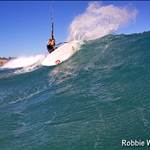
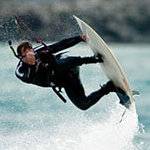
just shot some first video shots  on the weekend and need to get rid of the non water time stuff ,any suggestions on what is the best/ user friendly editing software ps will also show what not to do in setting up when i have editied some gear out.
I use Pinnacle Studio.
Very easy software to use.
Lots of effects ect,also will let you burn easily straight to dvd.
The end vid looks very profesional.
If you are filming with cam mounted on kite or helmet make sure the editing software you use has a good anti shake(stabilize)effect to help make the vid not so bumpy and jerky
does anyone know of people around who edit and make movies for you? if you give them the footage?
I used Pinnnacle about two years back, but got a HD camera and sony vegas was supporting HD before Pinnacle so I switched over. A load more features with Vegas and extremely easy to use... Only downside is that the DVD maker is a seperate programe, so you can edit and save DVD compatible files but you need to use DVD architect to actually make a DVD. Oh and you can make Blue Ray disks too! at least 10x better looking than standard DVD
A few tips - getting into shooting and editing your own video is fraught with traps and pitfalls - here is a quick summary to make the path as smooth as possible.
Your footage will probably never be watched if you dont have the ability to edit it - A nice soundtrack and some beatmatching makes all the difference. try and be thinking about your final edit BEFORE or while you shoot - this will give some structure in what you shoot and how you want to tell a story.
Even the simplest story - shoot pack up - trip to beach (can be told with 10 secs of timeline) - kiting (this will be the bulk of the action) and trip home (including some road rage you shot and the hilarious non functioning speaker at the maccas drive thru) - will make a big difference. Make sure you get headshots of all your riders.
Regarding stabilisers - try and shoot Wide Angle - that will do heaps to stabilise your shot. Many software stabilisers soften up your image after they have manipulated the pixels. You also get a zooming effect with software stabilisation.
Get close to your subject rather than just zooming in.
Use a tripod and avoid handheld shots where you can.
Well lit DV will look better than poorly lit HD formats - ie - good lighting is the cheapest and easiest way to boost quality. The hour of light around Sunset (the cocktail hour) is a great time to shoot people! (with a video camera)
The second way to boost quality with minimal effort is to focus on good sound. A good editor will allow you to get your tracks in easily.
Pc - vegas is the bang for the buck product.
Mac - get Final Cut Express - all the features you need of the full $1700 Final cut studio in a $300 package! I movie is there - and its a pack in with the computer - but you will probably move on quite quickly.
Another tip - go HDV or DV - alot of the (horrible) miniDVD formts or straight to memory card recorders dont record to a format that is suitable for editing - it can be done but the result is often less than satisfactory.
Its early days with AVCHD (direct to memory card)- plenty of crew having trouble editing that format.
Its a bit of a scandal that so many crew arent told of the hassles they will have editing these so called convenient formats.
Even on board harddrive cams are a real hassle.
To have any chance with these new formats you NEED a gruntmaster computer to deal with th high rates of compression in these formats - hence for now i recommend DV or HDV.
Cameras - Go Sony, Canon or Panasonic - these guys have the depth of experience of having a good share of the broadcast market. So many crew have trouble with formats from other brand camcorders. Just dont go there.
When editing HDV go to an intermediate codec - the software will convert to this on capture - if you tell it to.(apple intermediate , cineform, i'm sure vegas has an intermediate codec also)
- HDV is horrible to work with natively due to its long gop interframe compression. Your cuts will jump all over the place seemingly at random and forget about getting a nice cross dissolve. But with a nice conversion to intermediate codec it will all run like butter (or should if your machine is set up right)
Viddeo editing is a demanding task - 25 frames per second of good res footage is an incredible amount of info to be able to work with in real time.
get an external Harddrive and capture video to that - make sure it is a firewire 400 connection - this frees up your main hard drive to run the operating system and software. Eliminates crashing on older computer systems
Stick to the script above and things will go smoothly for you.
if you are seeking the service - I can edit stuff if you have the footage. Hopefully the above tips mean you wont be seeking my services!
Great tips there reflex. Yeah editing a video together does take a lot longer then you think. I usually estimate how long it will take & then times that by 2-3. So if you want to learn how to do it, take on board reflex's tips plus there is a heap of stuff on the web that will help you through.
If you don't want to do it yourself, then be prepared to pay for it, because anything like that certainly ain't cheap if you are getting a professional to do it.
Thanks guys, I just tried some of the editing last night with mixed results, I will certainly take on the advice for the next shoot!, LOL , anyway I got it currently uploading on U Tube so I can supply a laugh with some of my spills for the camera. it seems to be taking a while??? must be the PDS format, stay tuned
What about burning to disc when u have and edit in HDV???? Is blue ray the only answer?